
Most 9 Reasons Web Users Using Google Chrome Then Other Web Browsers
An in-depth look into why Google's browser dominates the global market share.
With a massive 68% to 70% of global market share, Google Chrome is the undisputed king of the internet. It outperforms competitors like Apple’s Safari, Microsoft Edge, and Mozilla Firefox by a wide margin.
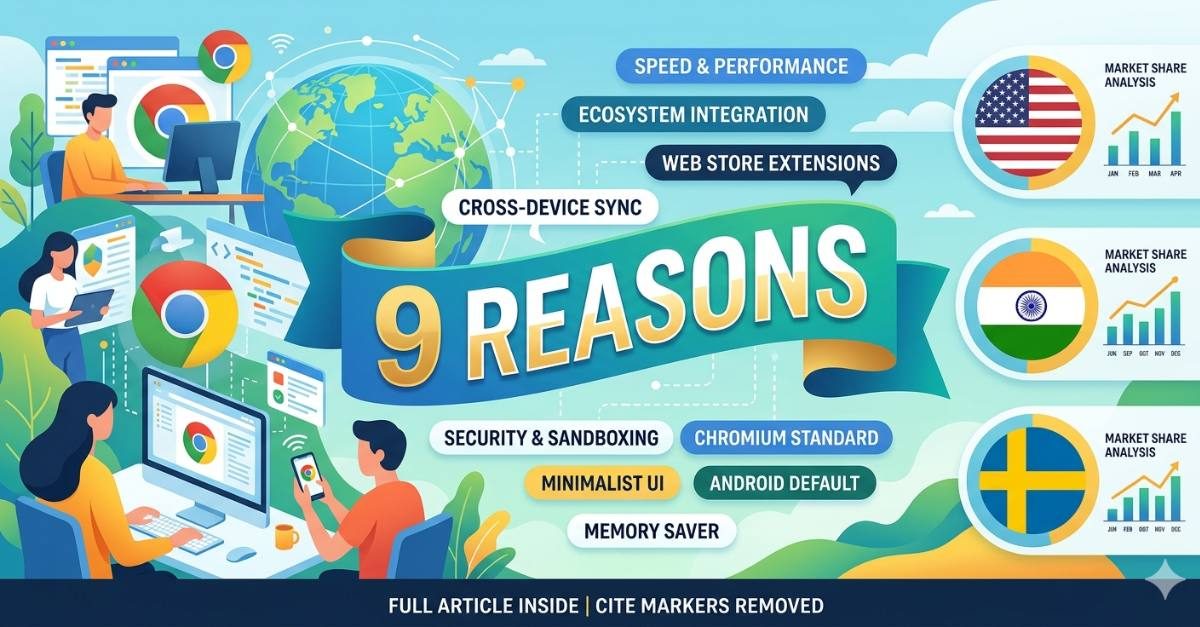
But why do billions of people consciously choose Chrome over alternative options that come pre-installed on their computers? Here are the top 9 reasons why web users prefer Google Chrome over any other web browser.
-
1. Blazing Fast Speed and Performance
From the day it launched, Chrome’s primary selling point has been its speed. Powered by Google’s high-performance V8 JavaScript engine, Chrome compiles and executes code incredibly fast. Web pages load almost instantly, and heavy web applications run smoothly without lag.
-
2. The Dominant Web Standard (Chromium First)
Because Chrome has the largest user base, web developers build and optimize websites for Chrome first. Other browsers are often an afterthought. If a cutting-edge web technology or new site feature launches, it is guaranteed to work flawlessly on Chrome, while it might glitch on non-Chromium browsers.
-
3. The Massive Chrome Web Store Ecosystem
When it comes to customization, no one beats Chrome. The Chrome Web Store features over 110,000 extensions. Whether you need ad blockers, grammar checkers, password managers, or developer tools, you can transform Chrome into a highly specialized productivity machine.
-
4. Seamless Ecosystem Integration
If you use Gmail, Google Drive, Google Calendar, or YouTube, Chrome is a no-brainer. The browser seamlessly ties into your Google account. It allows you to access your web apps with single-sign-on ease, auto-fill forms with saved data, and access your Google Docs offline.
-
5. Cross-Device Syncing
Chrome makes transitioning between a phone, a tablet, and a laptop completely painless. As long as you are logged into your Google account, your bookmarks, history, open tabs, saved passwords, and auto-fill data automatically sync across every device you own.
-
6. Default Status on Android Devices
Android accounts for roughly 70% of the worldwide smartphone market. Because Google Chrome comes pre-installed as the default browser on virtually all Android phones, a massive portion of casual internet users adopt it naturally and stick with it for its convenience.
-
7. Superior Built-In Security Features
Google treats browser security with extreme priority. Chrome isolates each tab into its own independent container (sandboxing). If a malicious website crashes or attacks one tab, it cannot infect the rest of your computer. Additionally, Chrome’s Safe Browsing tool warns you in real-time before you click on suspected phishing links or malware sites.
-
8. Smart Resource Management Tools
Chrome used to have a reputation for hogging computer RAM, but Google actively fixed this with features like Memory Saver and Energy Saver.
How it works: Memory Saver automatically frees up RAM from inactive background tabs, reducing Chrome’s memory consumption by up to 80% when your computer needs to focus on a heavy task. -
9. A Minimalist, Distraction-Free UI
Chrome revolutionized web browser design by getting rid of bulky toolbars and cluttered menus. It introduced the clean, stripped-back interface we see today, maximizing the actual screen space dedicated to the website you are viewing. The Omnibox (the combined search bar and URL box) makes searching the web incredibly fast.
Chrome vs. The Competition at a Glance
| Feature | Google Chrome | Apple Safari | Microsoft Edge |
|---|---|---|---|
| Global Market Share | ~68%–70% (Rank #1) | ~15%–18% (Rank #2) | ~5% (Rank #3) |
| Extension Support | Exceptional (110k+) | Limited | Great (Supports Chrome extensions) |
| Cross-Platform Sync | Perfect (Windows, Mac, iOS, Android) | Only ideal within Apple ecosystem | Great (Windows, Mac, Mobile) |
| Default Testing Target | Yes, industry standard | No | No |
Regional Insights: Market Share & Unique Usage Factors
While Google Chrome maintains a clear global dominance, looking at individual countries reveals unique regional battlegrounds shaped by purchasing power, favorite device types, and consumer behavior.
1 Browser Market Share in the US
Market Share: Google Chrome (~50.0%), Apple Safari (~31.9%), Microsoft Edge (~7.9%), Mozilla Firefox (~3.7%).
Key Usage Factors: The United States represents one of Chrome's toughest regional matchups due to a massive, affluent domestic base of iOS and Mac users. Because Safari comes natively bundled as the default option on Apple devices, it captures nearly a third of the total browser volume. However, Chrome maintains its leading edge due to its absolute dominance across high-performance desktop workspaces, enterprise operations, and affordable educational infrastructure (like Chromebooks).
2 Browser Market Share in India
Market Share: Google Chrome (~89.7%), Opera (~3.3%), Safari (~2.9%), Microsoft Edge (~1.1%).
Key Usage Factors: In India, web traffic is heavily skewed toward mobile devices, where budget-friendly Android smartphones command an overwhelming market share. Because Google Chrome comes perfectly optimized and pre-loaded out of the box on Android devices, it functions as the standard entry point to the internet for roughly 9 out of 10 users. Alternative mobile solutions like lightweight versions of Opera and native Android configurations capture minor secondary brackets.
3 Browser Market Share in Sweden
Market Share: Google Chrome (~56.6%), Apple Safari (~24.4%), Microsoft Edge (~7.7%), Mozilla Firefox (~4.1%).
Key Usage Factors: Sweden presents a balanced, tech-savvy digital landscape that values privacy and deep ecosystem stability. Chrome leads because it integrates seamlessly with multi-platform setups, but Safari holds a firm second place due to high iPhone usage rates across Scandinavia. Additionally, European privacy expectations preserve a noticeable, steady market pocket for alternative options like Mozilla Firefox and Chromium-built choices like Edge or Vivaldi.

Comments